💝 The 15-Minute Valentine's Day Spin-to-Win Playbook for Shopify
This year, U.S. consumers are expected to spend a record-breaking $29.1B on Valentine's Day, with shoppers budgeting an average of $199.78 per person - making it one of the biggest shopping events of Q1.
That includes a massive $7B on jewelry (the top spending category!), $6.3B on evenings out, $3.5B on clothing, and $3.1B on flowers. Over half of Americans (55%) plan to celebrate, and it's not just for romantic partners - middle and high-income shoppers are expanding their gift lists to include friends, co-workers, family, and even pets. (source)
Shoppers respond strongly to themed campaigns: interactive Valentine's content can boost opt-in rates up to 20%.
Good news: you don't need Cupid's arrow to hit your revenue targets. In about 15 minutes, you can launch a Valentine's Day campaign with CrazyRocket - pick the template, drop it on a simple page, and send a quick "Spin for Love" email to your list. Ready?
Step 1: Install CrazyRocket
- Install CrazyRocket, pick the PREMIUM plan to use the "Embed on Landing Page".
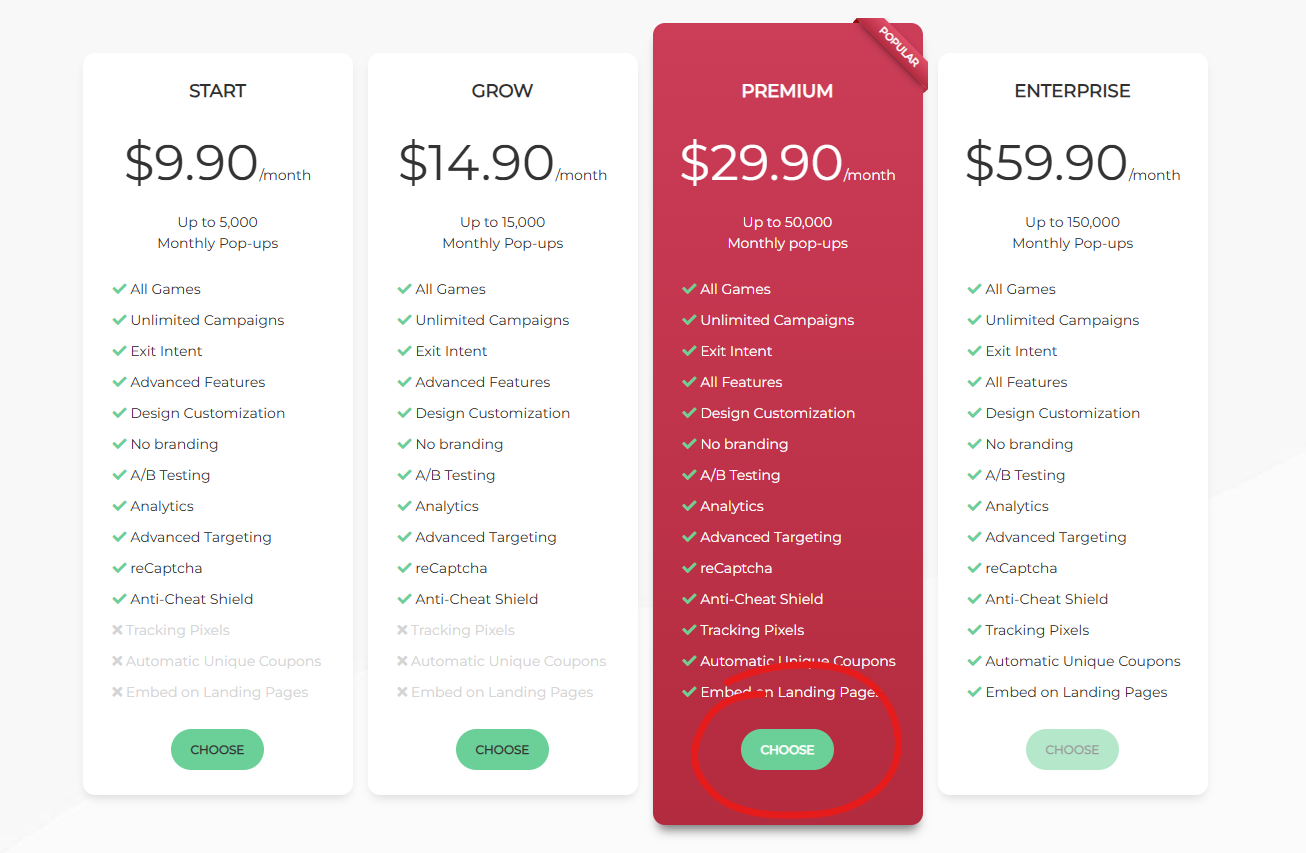
Step 2: Choose the Valentine's Day Template
- Click on Campaigns > New Campaign > Spin Wheel and choose the Valentine's Day template
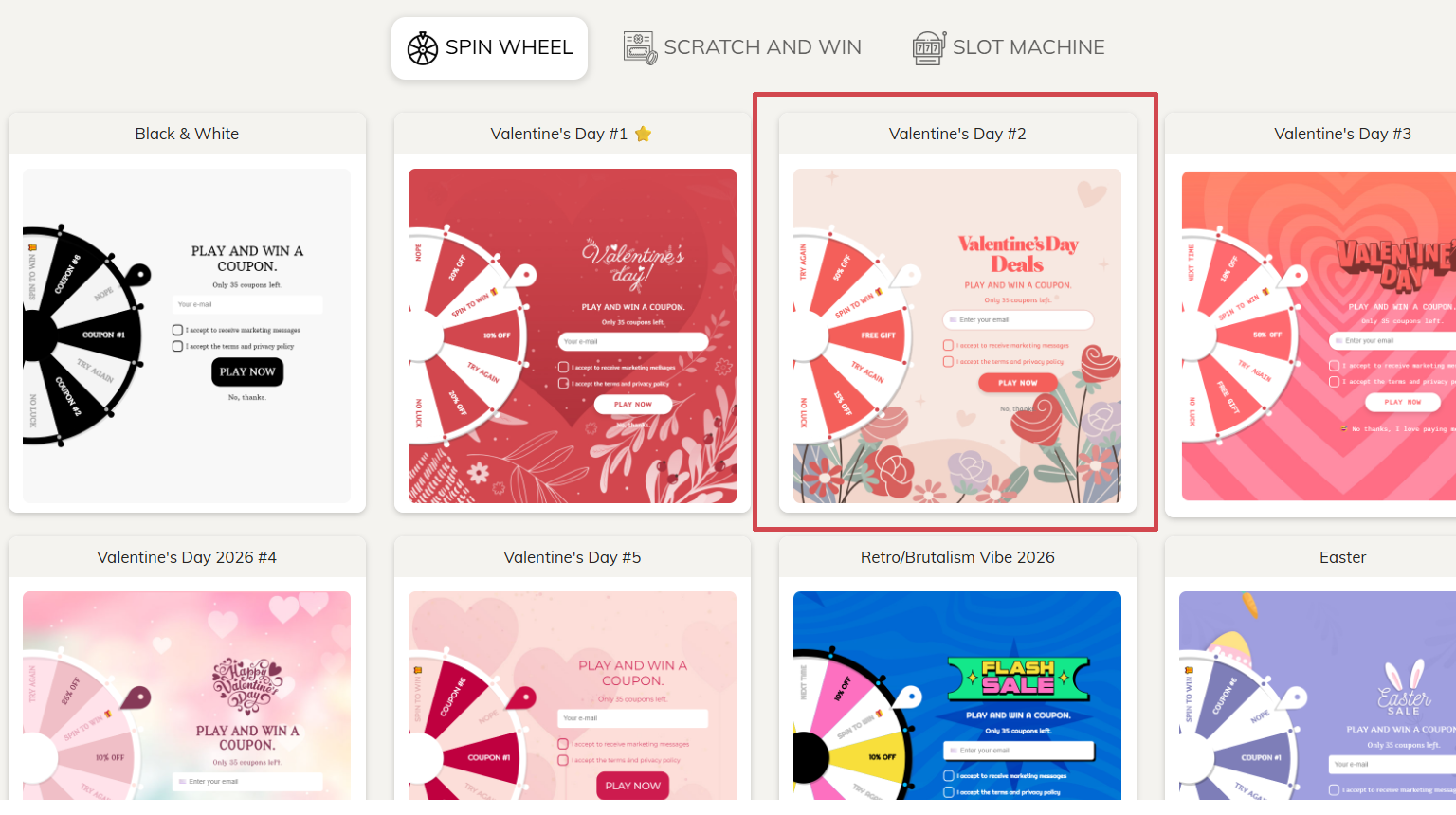
Step 3: Enter your discount codes
- First, create your discount codes in Shopify, then click on the COUPONS tab and enter the discount codes with the descriptions.
- Save the campaign
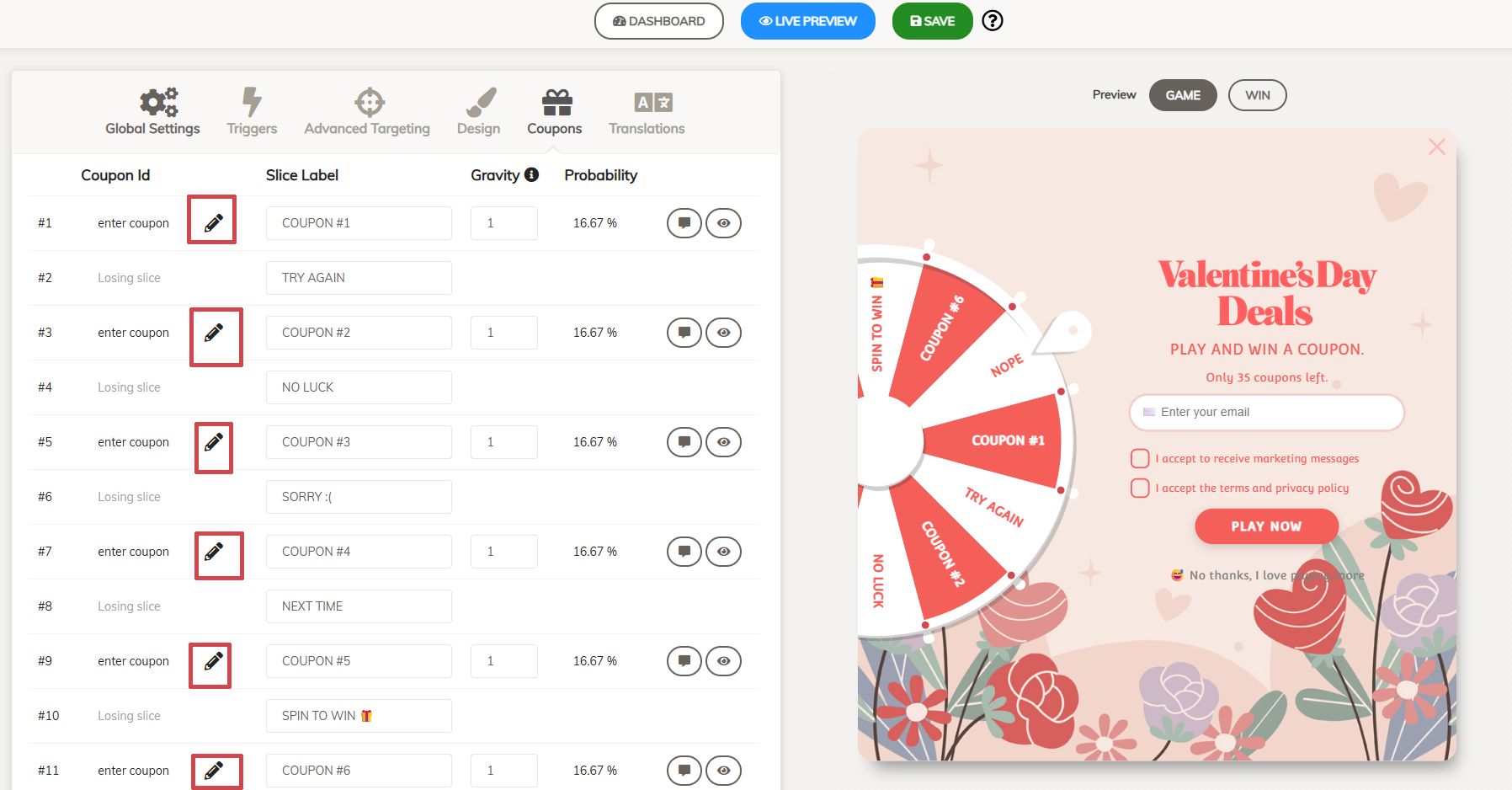
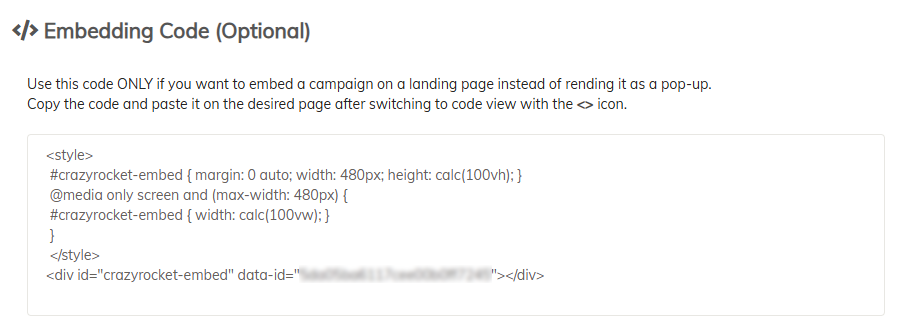
- Click on the Global Settings TAB and copy your embed code
Step 4: Create a Landing Page
- Go to Online Store → Pages and click Add page.
- In the page editor, click the <> (Show HTML) button.
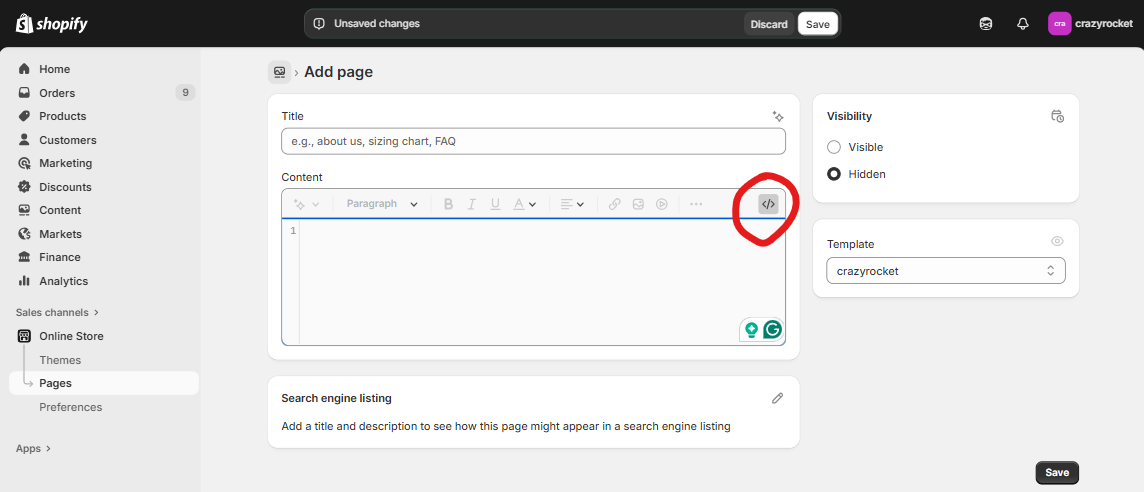
- Paste your campaign's embed code (found in the CrazyRocket editor under Campaign → Global Settings), then Save.
Alternatively, you can use your preferred page editor to create your own design.
For example, you can add a Custom Liquid Block to enter the embed code from the Shopify Theme Editor.
Step 5: Send a newsletter
Here are some sample subjects for your Valentine's campaign:
- "💝 Spin for Love - Your Valentine's Gift Inside!"
- "💘 Last Chance: Spin to Win Your Valentine's Discount!"
- "🌹 Treat Yourself (or Someone Special) - Spin Now!"
- "💕 Love Is in the Air... and in Your Inbox!"
- "💖 Valentine's Mystery Discount - Will You Get 30% Off?"
Add a button with a link to the landing page in the newsletter.
Step 6: Promote on your social media profiles
- Post about your campaign on IG, TikTok
- Set the link in bio to your landing page
- Check the Embed Kit for some ready-to-use images
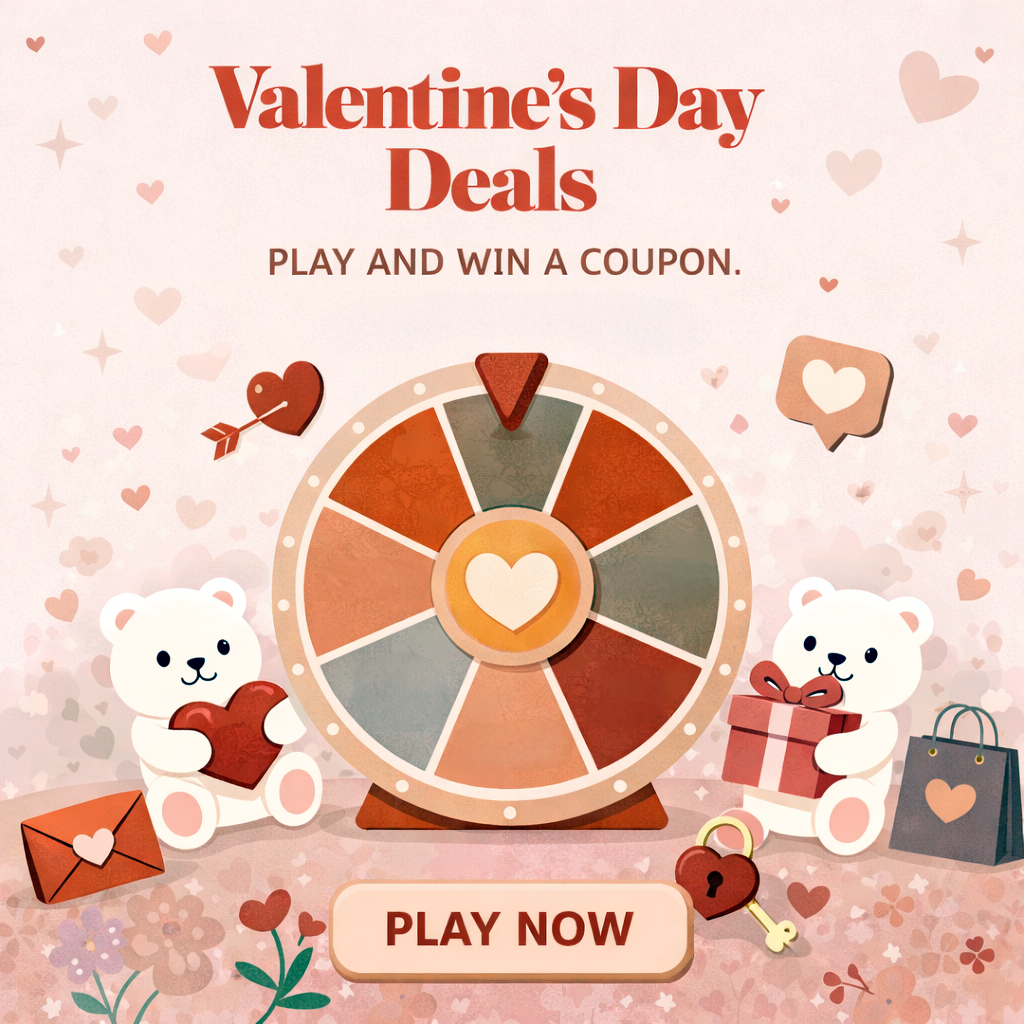
BONUS - The Embed Toolkit
To create a more immersive experience, you can create a dead-simple landing page that contains the spin wheel.
Grab the ZIP file with ready-made Liquid templates and images — everything you need to launch and promote your campaign!
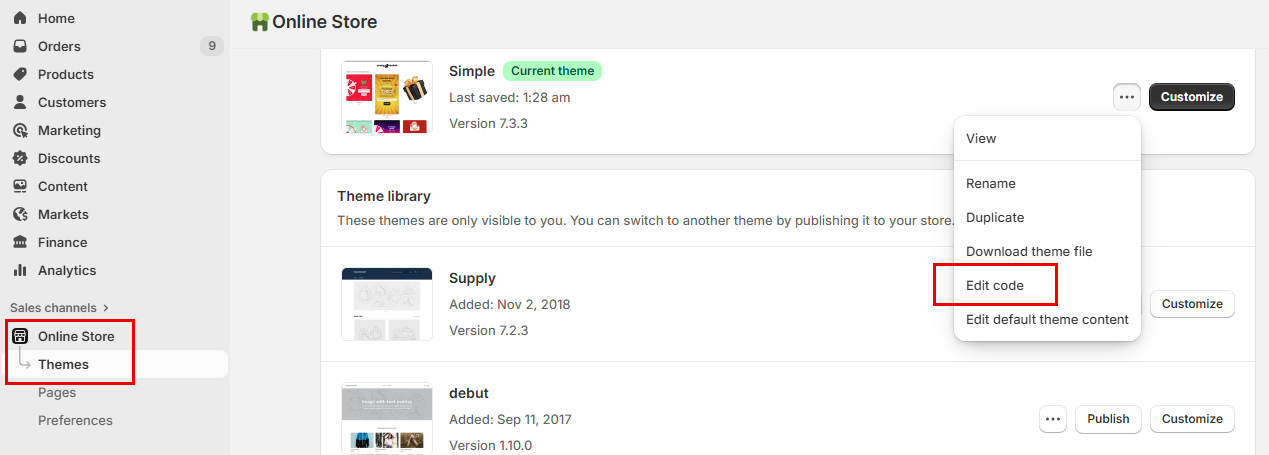
- In your Shopify admin, go to Online Store → Themes. Next to your live theme, open the ⋯ (Actions) menu and click Edit code.
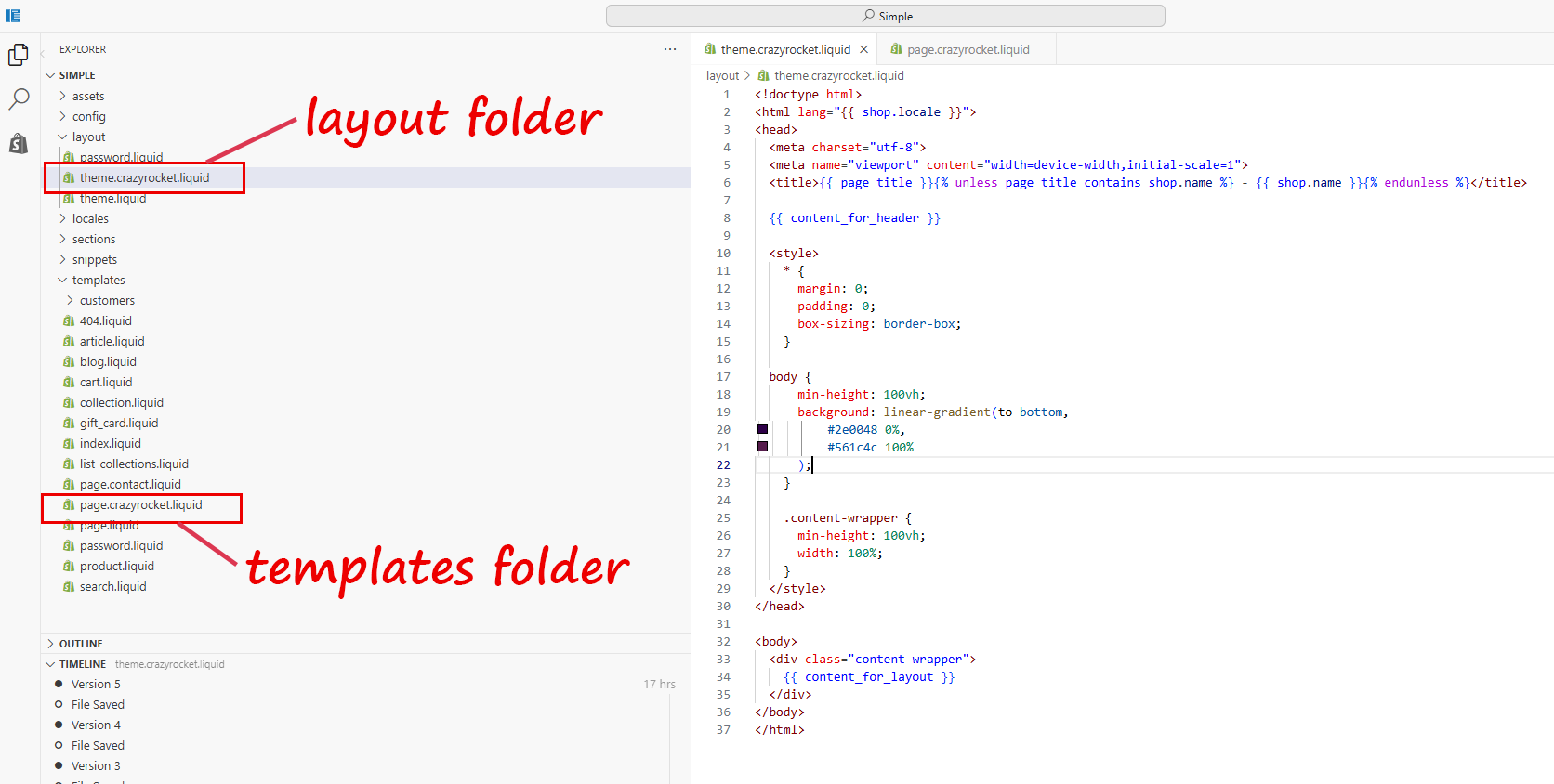
- In the layout folder, upload the file theme.crazyrocket-valentine.liquid. Save.
- In the templates folder, upload the file page.crazyrocket-valentine.liquid. Save.
- Go to Online Store → Pages and click Add page.
- In the Theme template dropdown, select crazyrocket.
- In the page editor, click the <> (Show HTML) button.
- Paste your campaign's embed code (found in the CrazyRocket editor under Campaign → Global Settings), then Save.
Tip: After saving, preview the page and, if needed, add it to your navigation via Online Store → Navigation, remove it once Valentine's Day is over.
💡 Pro Tips for Maximum Valentine's Day Impact
Timing Is Everything
- Early birds: Send your first campaign 7-10 days before Valentine's Day to catch planners (75% of consumers start planning in the first week of February or earlier!)
- Last-minute lovers: Send a second "Last Chance" campaign on Feb 12-13 for procrastinators (28% of women don't start planning until the week of or day of Valentine's Day!)
- Post-Valentine's: Don't forget Feb 15 - "Treat Yourself" campaigns work great for self-gifters
Segment Your Audience
Consider creating different campaigns for:
- Gift buyers: Focus on products perfect for partners (jewelry, luxury items, experiences)
- Self-love crowd: Emphasize "Treat Yourself" messaging (beauty, wellness, comfort items)
- Galentine's shoppers: Highlight friendship gifts and group celebrations
- Pet parents: Don't miss this growing trend - a record 35% of consumers plan to buy Valentine's gifts for their pets, spending $2.1B! If you sell pet accessories, treats, or toys, create a dedicated segment.
Prize Structure That Converts
Popular Valentine's discount structures:
- 30% off - Top prize for big purchases
- 20% off - Sweet spot for most shoppers
- 15% off - Keep people engaged
- Free shipping - Perfect for fence-sitters
- BOGO 50% - Great for gift sets
What Merchants Say
Towel Collective
⭐⭐⭐⭐⭐
"Second time installing and using Crazy Rocket over the past 6 years, I love this app, the customer service and usually get about an 18% conversion!!"
Ready to launch? Install CrazyRocket now and start spinning up Valentine's Day sales! 💘
CONTACT SUPPORT