🎄 The 15-Minute Christmas Spin-to-Win Playbook for Shopify
Christmas is the most wonderful time of the year... for sales!
The holiday shopping season drives the highest sales of the year, with Christmas being the ultimate peak.
U.S. holiday retail sales consistently exceed $800 billion annually, with a significant portion happening in the weeks leading up to Christmas.
Festive, interactive campaigns create memorable shopping experiences that drive customer engagement. Studies show that holiday-themed emails and promotions significantly outperform generic campaigns, with customers responding positively to the festive spirit and limited-time offers.
Great news: you don't need a complex setup to spread holiday cheer and boost conversions. In just 15 minutes, you can launch a Christmas campaign with CrazyRocket - choose the festive template, embed it on a landing page, and send a joyful "Spin to Win" email to your list. Ready to make spirits bright?
Step 1: Install CrazyRocket
- Install CrazyRocket, pick the PREMIUM plan to use the "Embed on Landing Page".
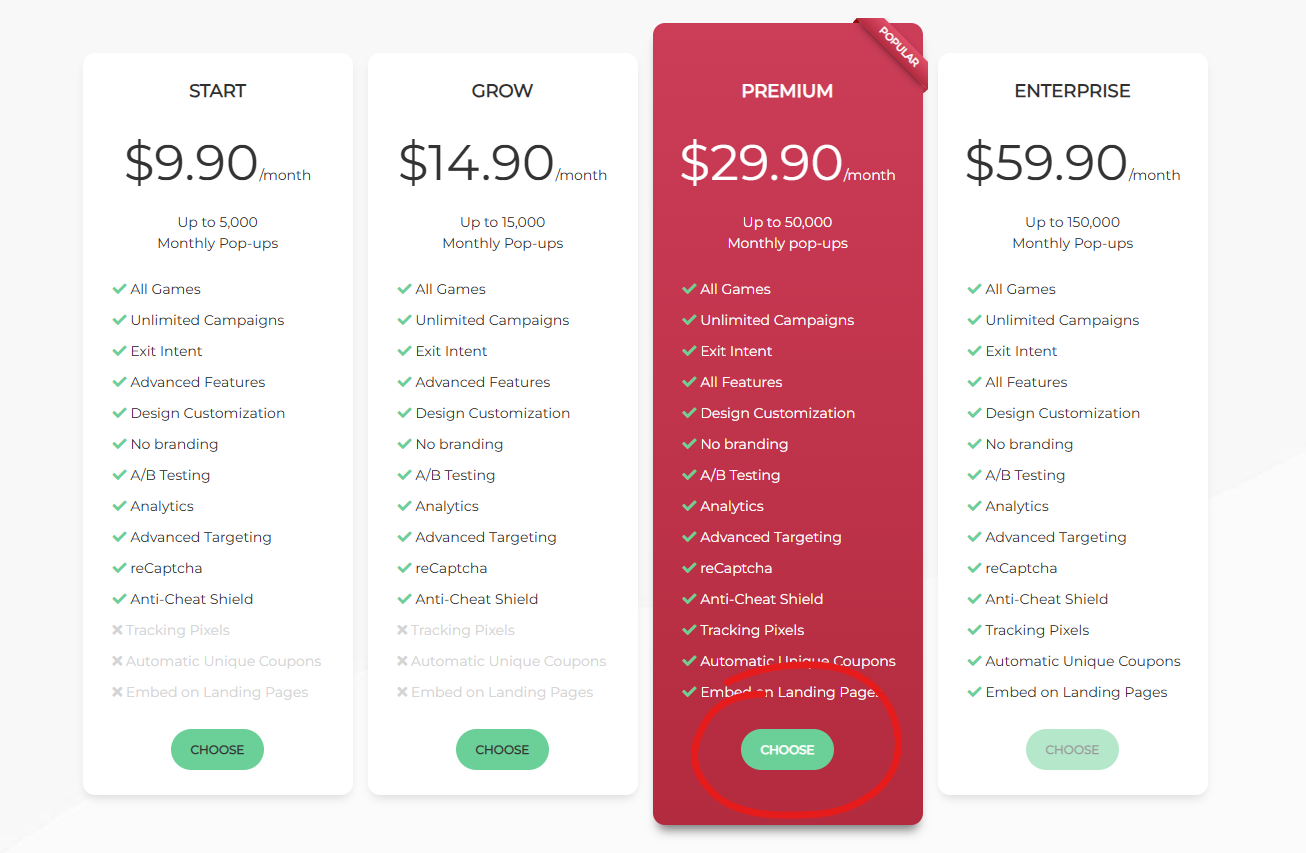
Step 2: Choose the Xmas II Template
- Click on Campaigns > New Campaign > Spin Wheel and choose the Xmas II template
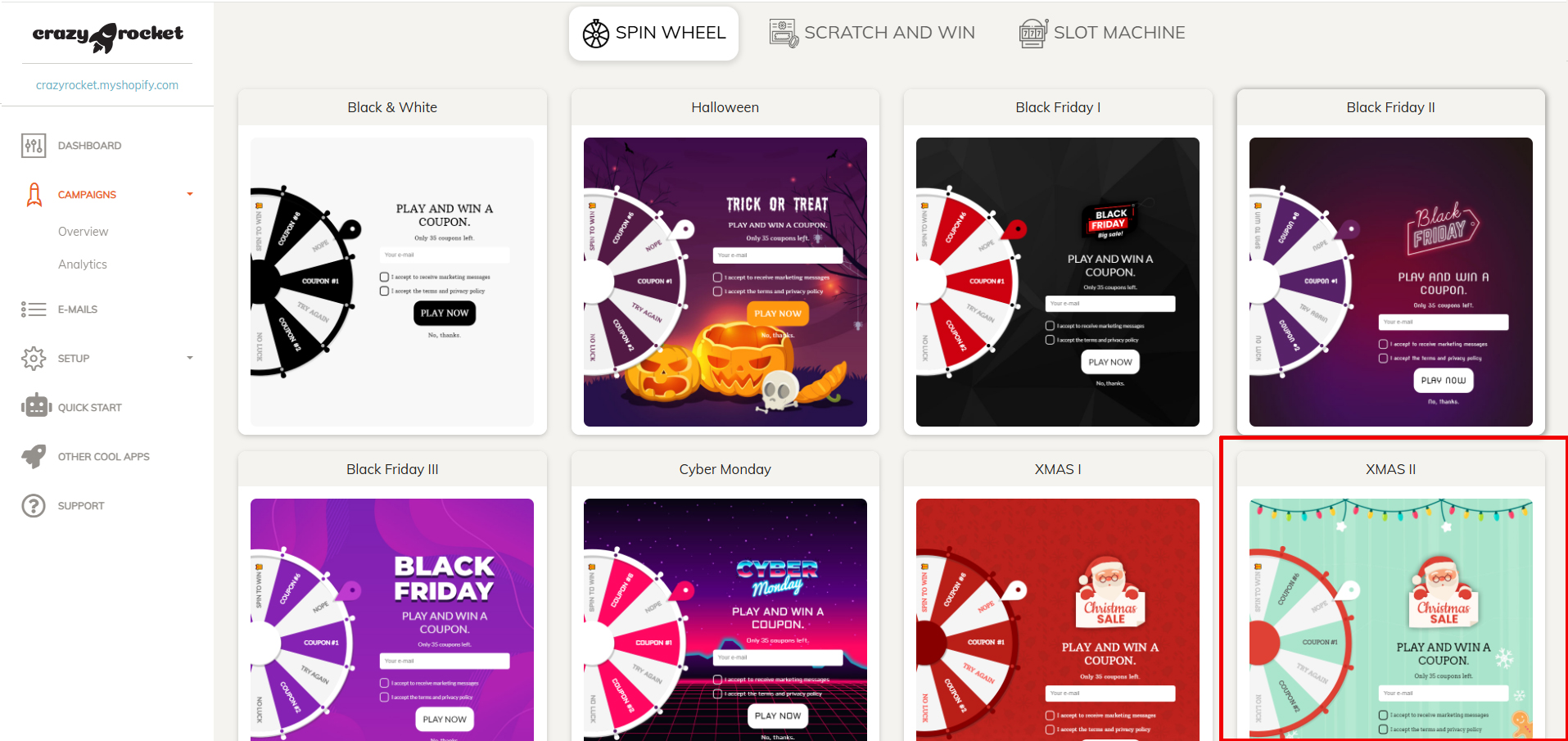
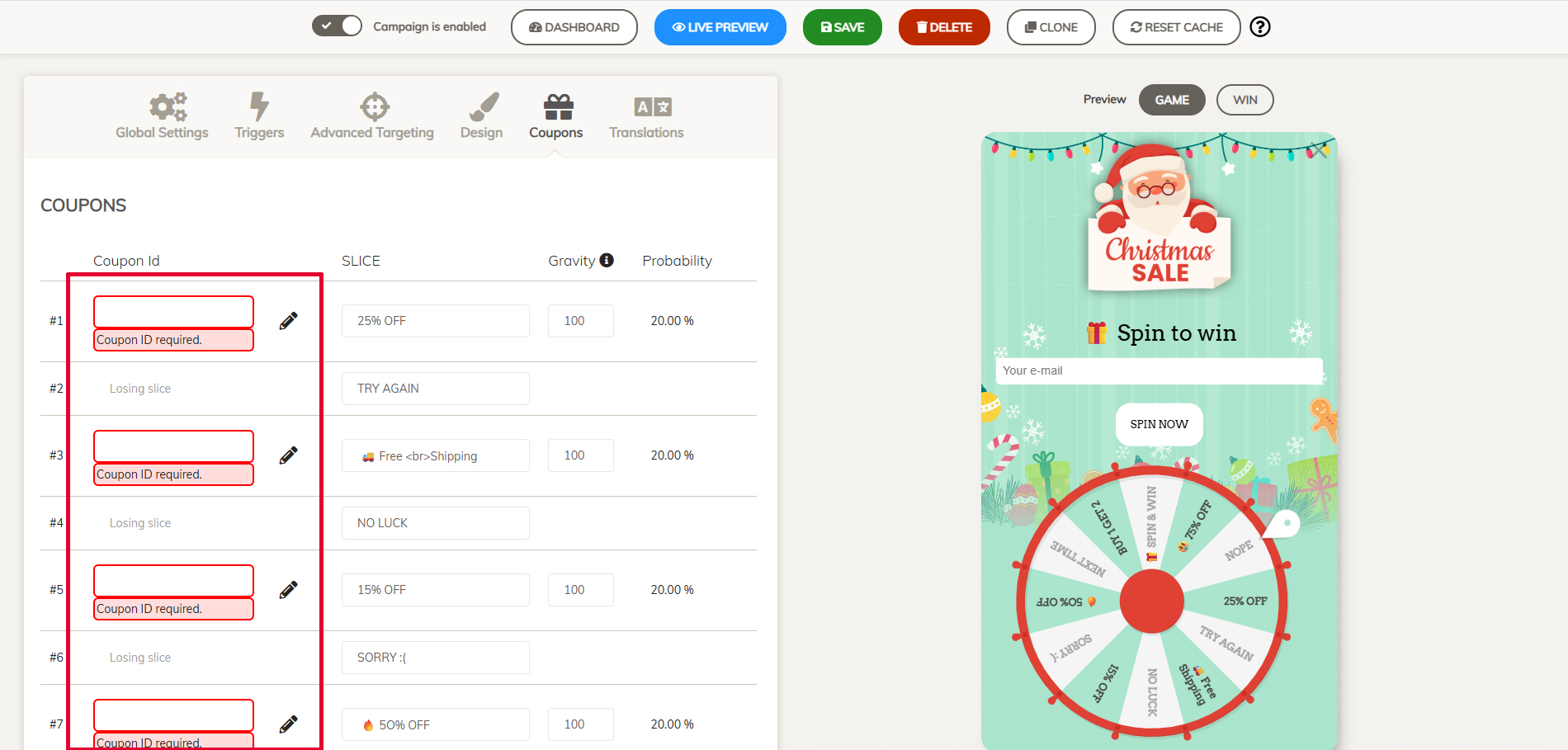
Step 3: Enter your discount codes
- First, create your discount codes in Shopify, then click on the COUPONS tab and enter the discount codes with the descriptions.
- Save the campaign
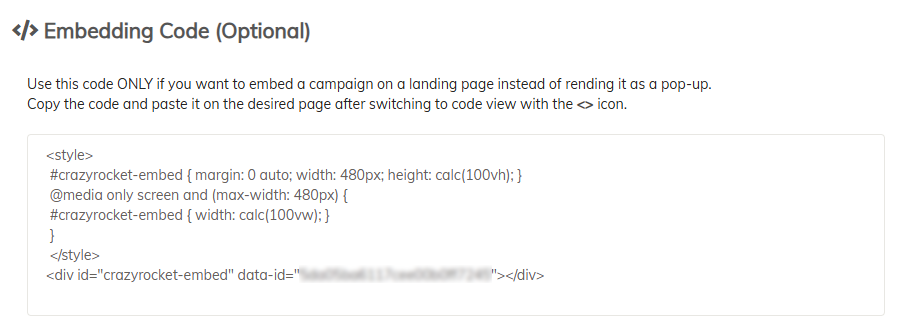
- Click on the Global Settings TAB and copy your embed code
Step 4: Create a Landing Page
- Go to Online Store → Pages and click Add page.
- In the page editor, click the <> (Show HTML) button.
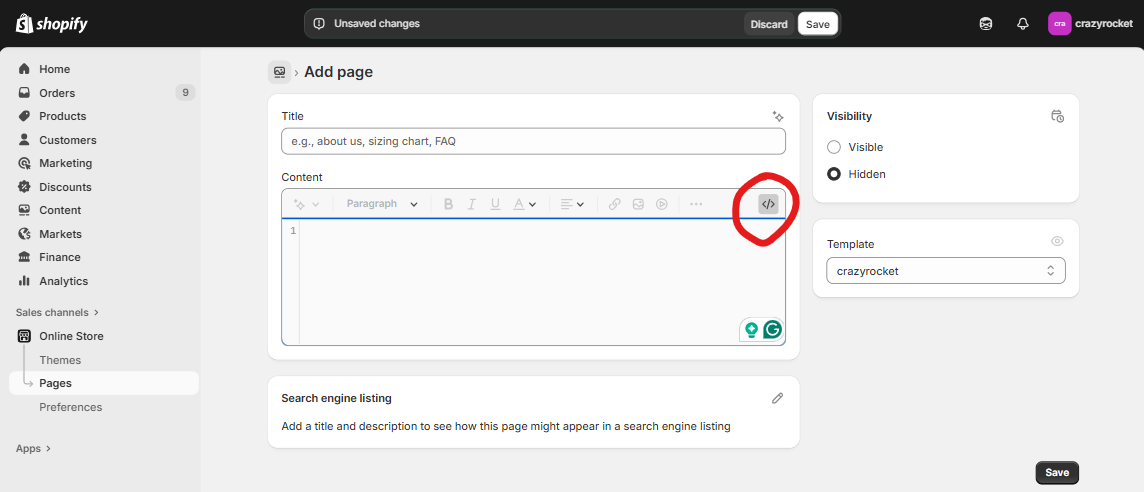
- Paste your campaign's embed code (found in the CrazyRocket editor under Campaign → Global Settings), then Save.
Alternatively, you can use your preferred page editor to create your own design.
For example, you can add a Custom Liquid Block to enter the embed code from the Shopify Theme Editor.
The Embed Toolkit.
If you want to create a full-width page quickly, check our Embed Toolkil below.👇
Step 5: Send a newsletter
Here are some sample subjects for your campaign:
- 🎄 Spin the Wheel for a Christmas Surprise!
- Santa’s Wheel Is Here — Spin to Win Your Gift 🎅
- Unwrap Your Discount! Spin the Wheel 🎁
- Holiday Magic Awaits — Spin & Save ❄️
- The Christmas Spin Is On! Win a Gift Before It’s Gone 🎁
Add a button with a link to the landing page in the newsletter.
Step 6: Promote on your social
- Post about your campaign on IG, TikTok
- Set the link in bio to your landing page
- Check the Embed Kit for some ready-to-use images
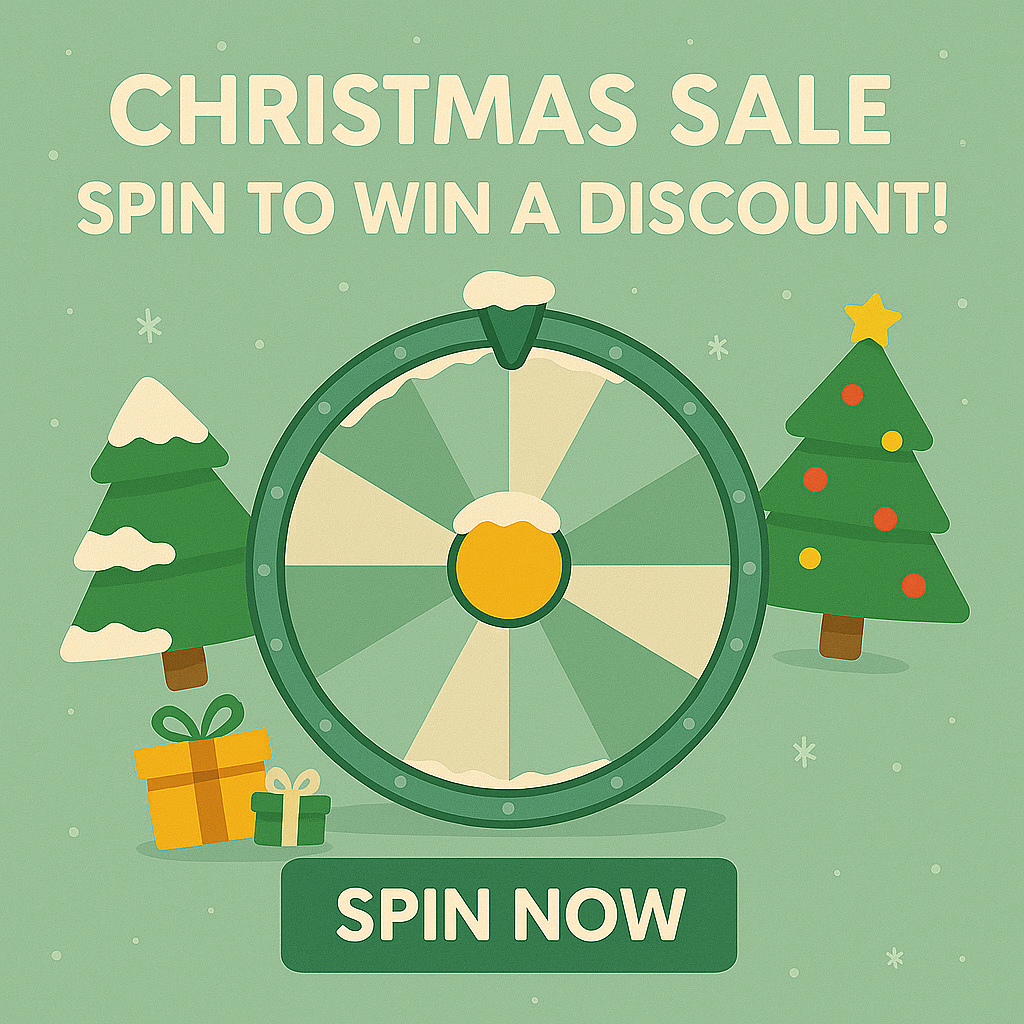
BONUS - The Embed Toolkit
To create a more immersive experience, you can create a dead-simple landing page that contains the spin wheel.
Grab the ZIP file with ready-made Liquid templates and images — everything you need to launch and promote your campaign!
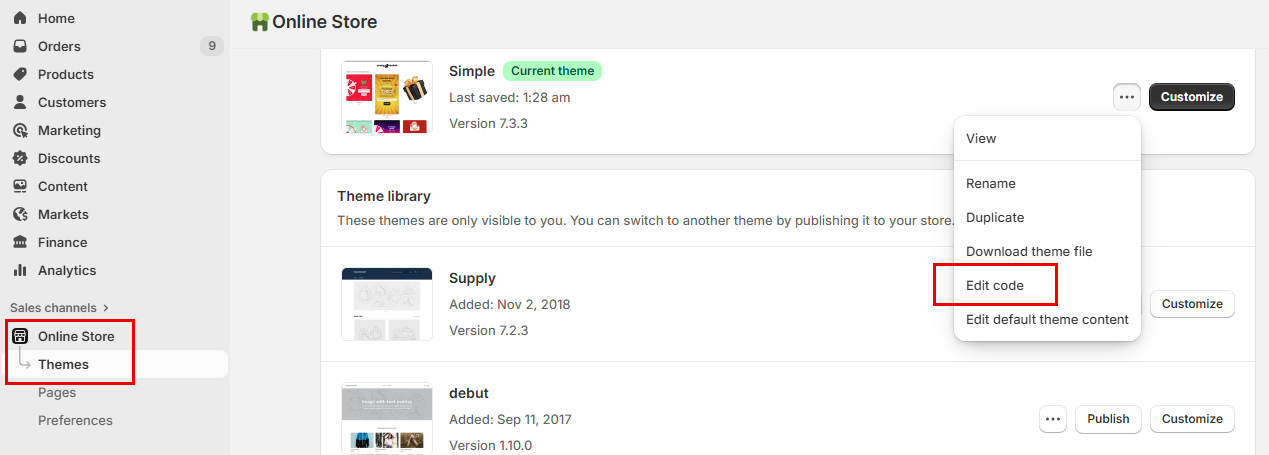
- In your Shopify admin, go to Online Store → Themes. Next to your live theme, open the ⋯ (Actions) menu and click Edit code.
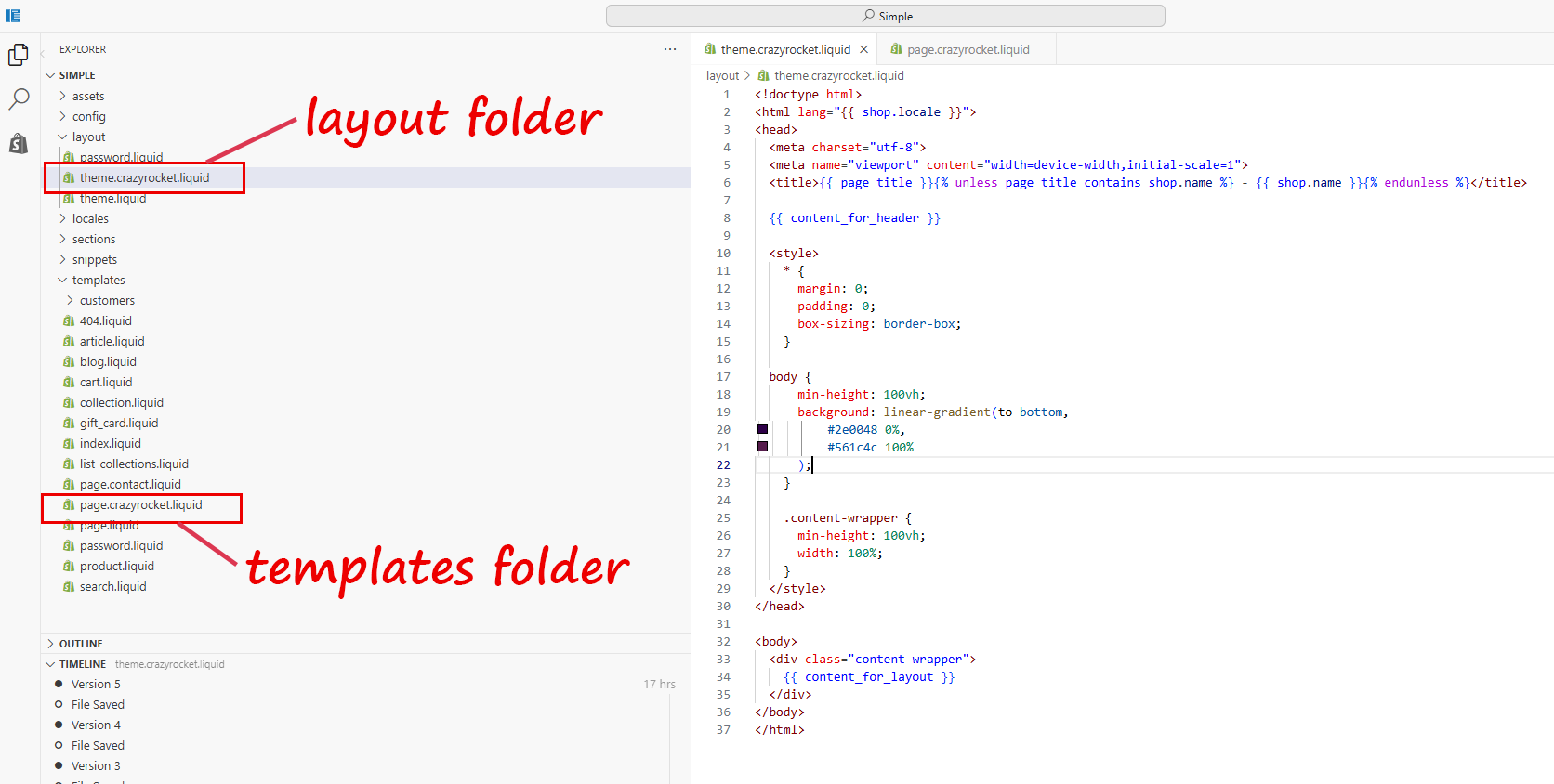
- In the layout folder, upload the file theme.crazyrocket.liquid. Save.
- In the templates folder, upload the file page.crazyrocket.liquid. Save.
- Go to Online Store → Pages and click Add page.
- In the Theme template dropdown, select crazyrocket.
- In the page editor, click the <> (Show HTML) button.
- Paste your campaign's embed code (found in the CrazyRocket editor under Campaign → Global Settings), then Save.
Tip: After saving, preview the page and, if needed, add it to your navigation via Online Store → Navigation, remove it once Halloween is over.
CONTACT SUPPORT