🎃 The 15-Minute Halloween Spin-to-Win Playbook for Shopify
Halloween is a license to print… money!
This year, U.S. shoppers are expected to spend a record $13.1B, with ~73% planning to celebrate.
That includes roughly $3.9B on candy and $4.3B on costumes - aka a perfect storm for playful promos. (source)
And shoppers do love themed campaigns: Halloween emails typically beat generic promos, with studies showing ~15% higher open rates for Halloween-themed sends. (source)
Good news: you don't need a big production to ride the wave. In about 15 minutes, you can launch a Halloween campaign with CrazyRocket - pick the template, drop it on a simple page, and send a quick "Spin to Win" email to your list. Ready?
Step 1: Install CrazyRocket
- Install CrazyRocket, pick the PREMIUM plan to use the "Embed on Landing Page".
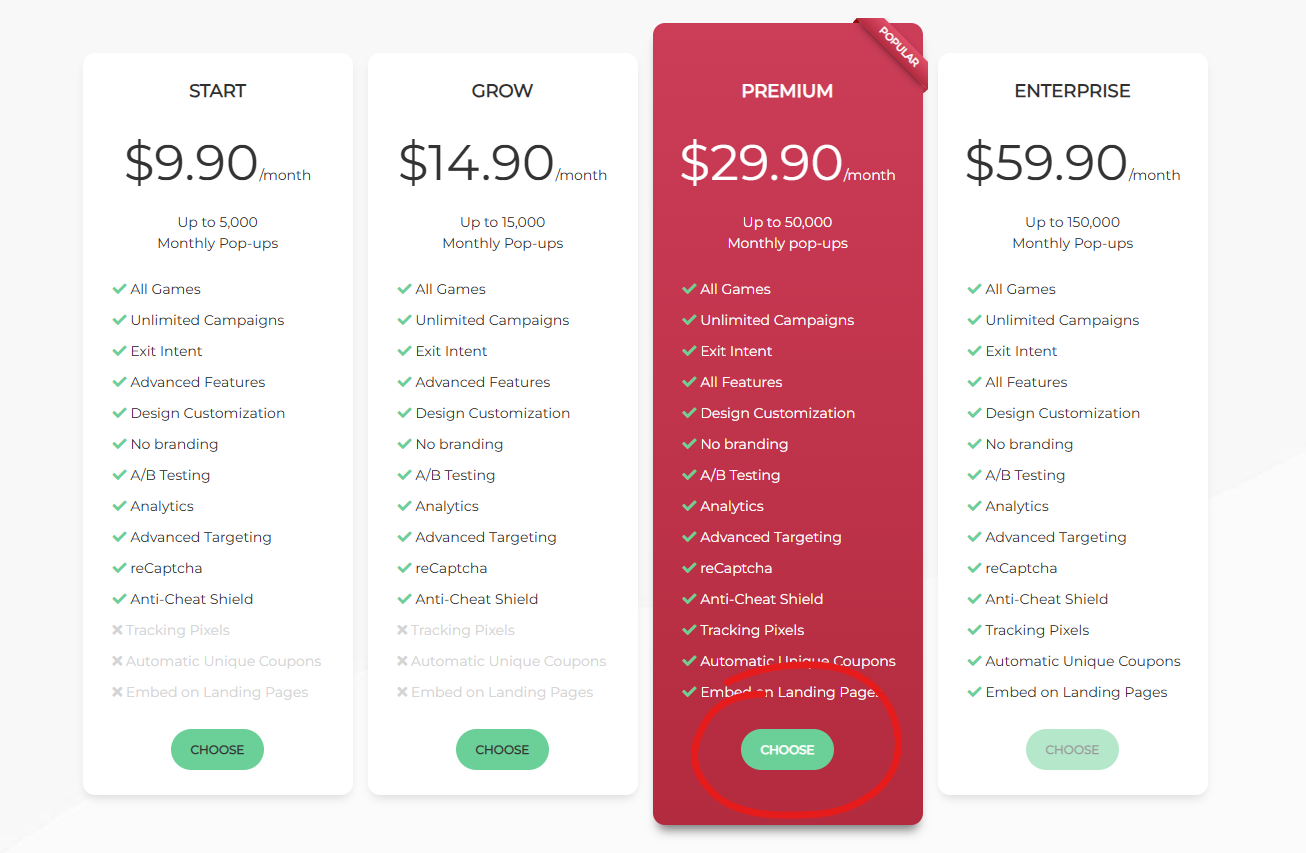
Step 2: Choose the Halloween Template
- Click on Campaigns > New Campaign > Spin Wheel and choose the Halloween template
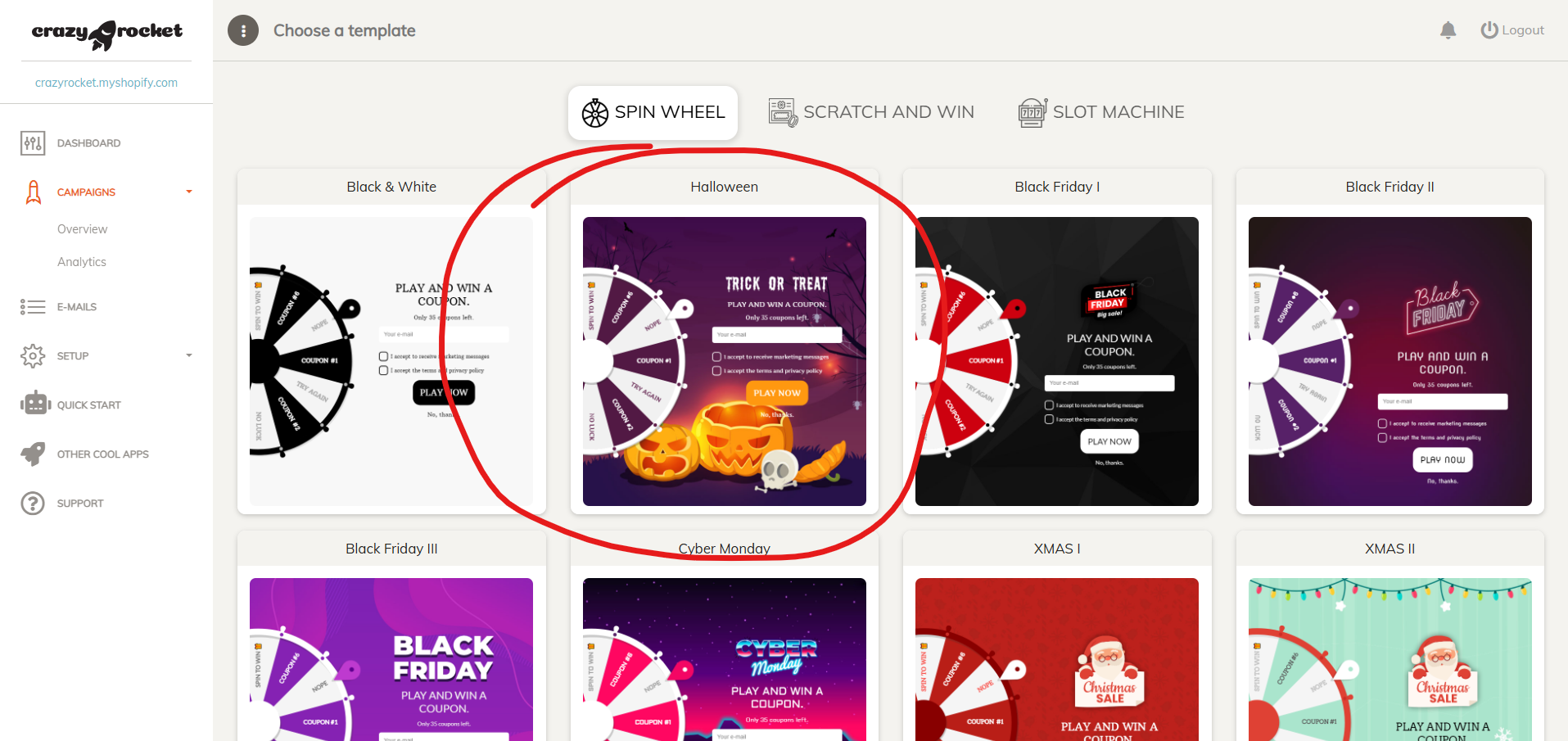
Step 3: Enter your discount codes
- First, create your discount codes in Shopify, then click on the COUPONS tab and enter the discount codes with the descriptions.
- Save the campaign
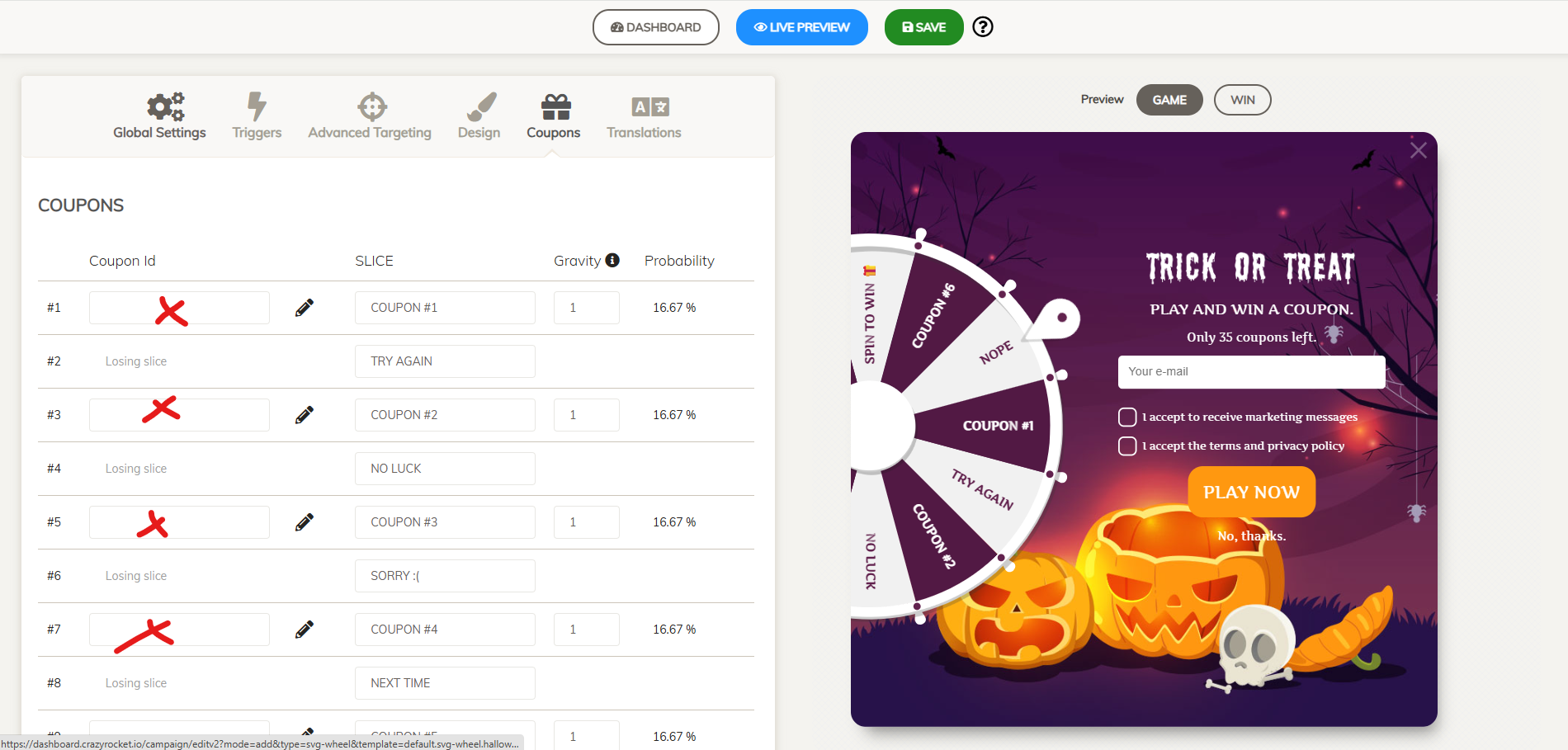
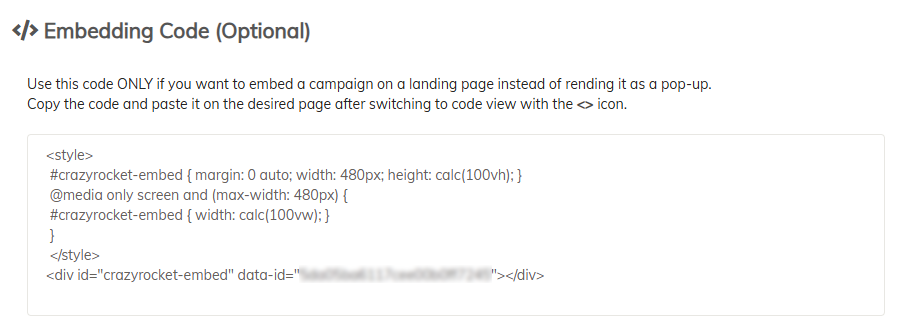
- Click on the Global Settings TAB and copy your embed code
Step 4: Create a Landing Page
- Go to Online Store → Pages and click Add page.
- In the page editor, click the <> (Show HTML) button.
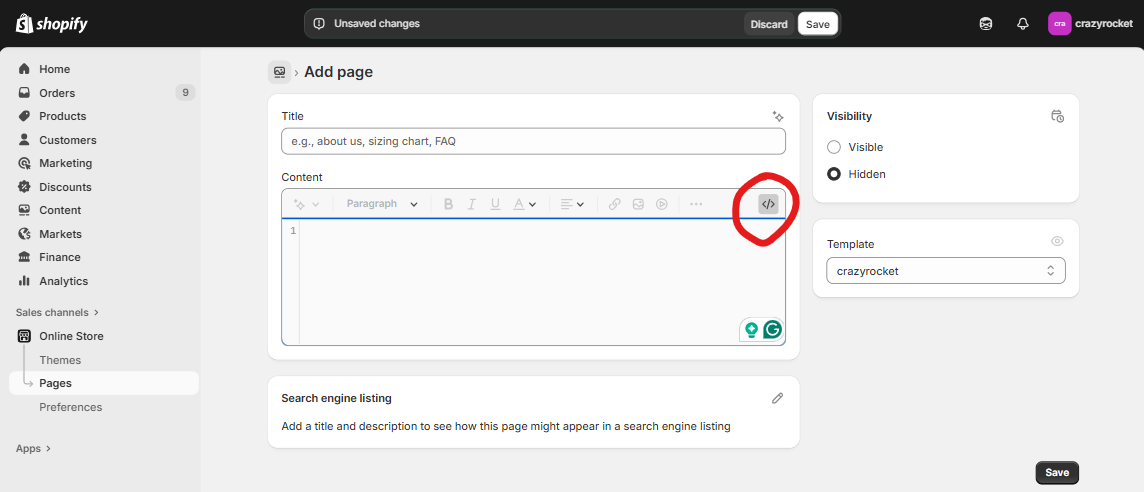
- Paste your campaign's embed code (found in the CrazyRocket editor under Campaign → Global Settings), then Save.
Alternatively, you can use your preferred page editor to create your own design.
For example, you can add a Custom Liquid Block to enter the embed code from the Shopify Theme Editor.
The Embed Toolkit.
If you want to create a full-width page quickly, check our Halloween Kit below.👇
Step 5: Send a newsletter
Here are some sample subjects for your campaign:
- "🎃 Spin to Win This Spooky Halloween!"
- "Trick or Treat? Treats Only. Spin Now!"
Add a button with a link to the landing page in the newsletter.
Step 6: Promote on your social
- Post about your campaign on IG, TikTok
- Set the link in bio to your landing page
- Check the Embed Kit for some ready-to-use images

BONUS - The Embed Toolkit
To create a more immersive experience, you can create a dead-simple landing page that contains the spin wheel.
Grab the ZIP file with ready-made Liquid templates and images — everything you need to launch and promote your campaign!
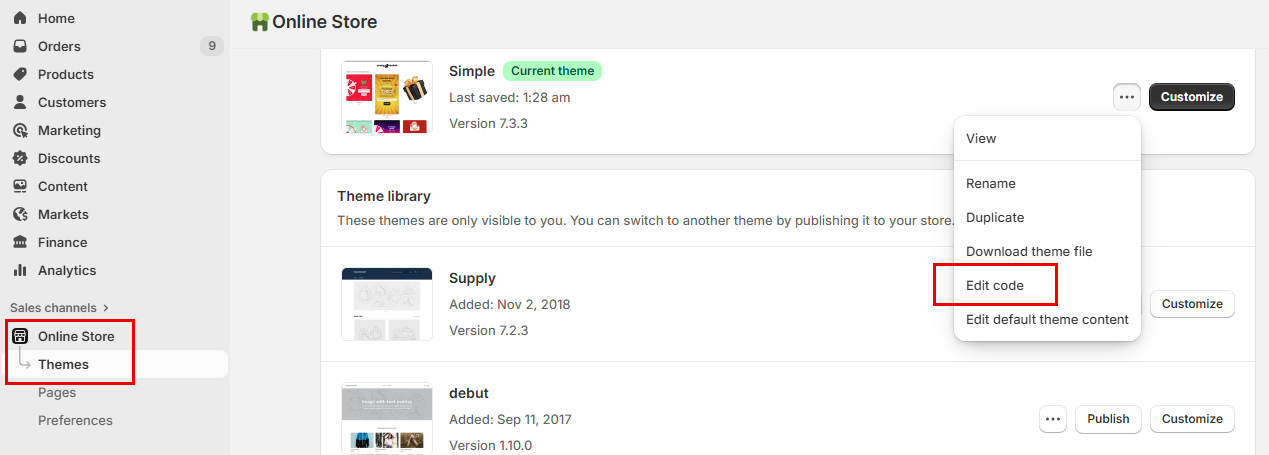
- In your Shopify admin, go to Online Store → Themes. Next to your live theme, open the ⋯ (Actions) menu and click Edit code.
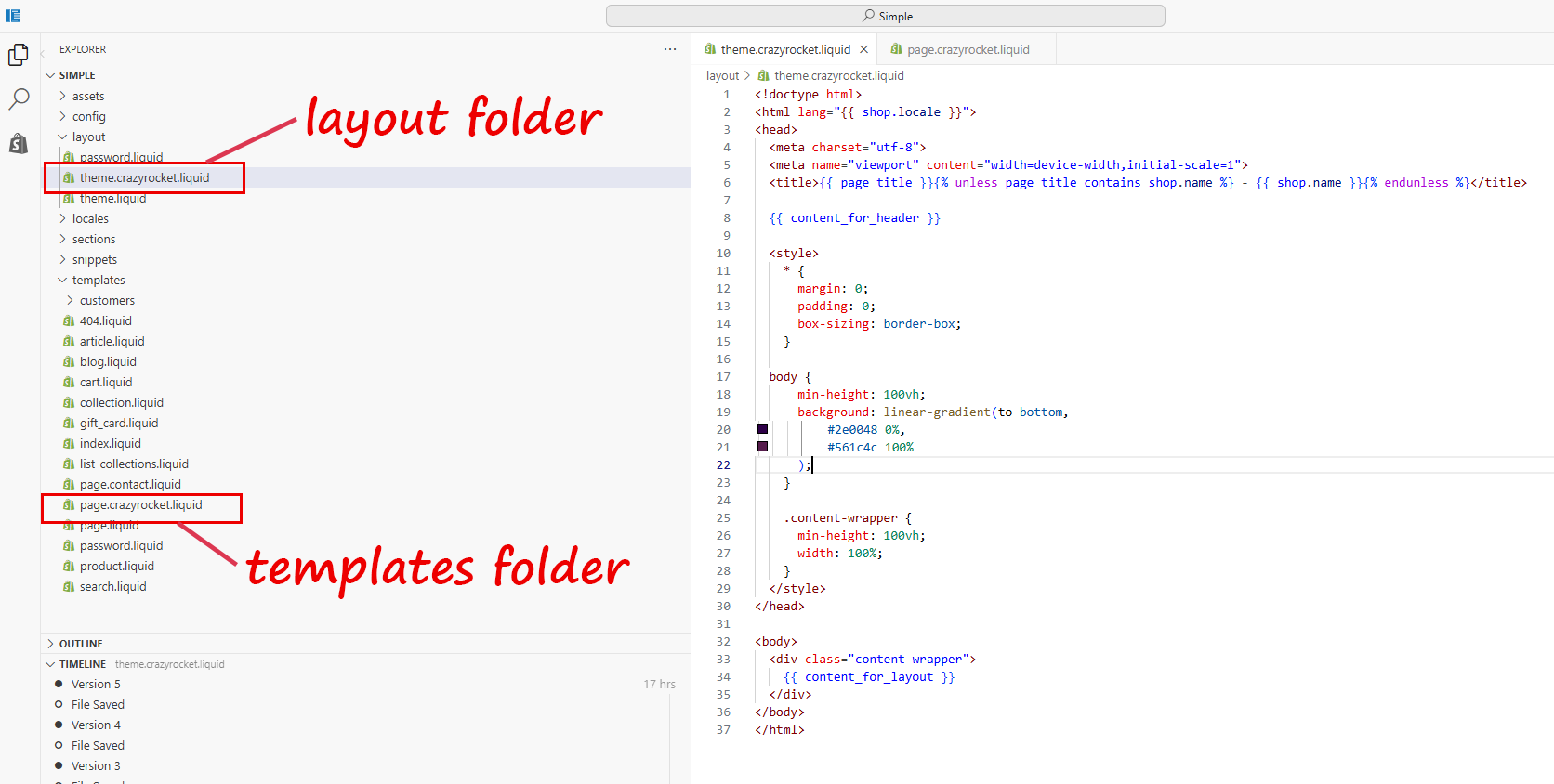
- In the layout folder, upload the file theme.crazyrocket.liquid. Save.
- In the templates folder, upload the file page.crazyrocket.liquid. Save.
- Go to Online Store → Pages and click Add page.
- In the Theme template dropdown, select crazyrocket.
- In the page editor, click the <> (Show HTML) button.
- Paste your campaign's embed code (found in the CrazyRocket editor under Campaign → Global Settings), then Save.
Tip: After saving, preview the page and, if needed, add it to your navigation via Online Store → Navigation, remove it once Halloween is over.
CONTACT SUPPORT